Top IPTV Providers: Buffer-Free on Samsung Smart TV
Best buffer-free IPTV providers for Samsung Smart TV (Tizen) in 2026. Tested for sports stability, 4K quality, and app compatibility.
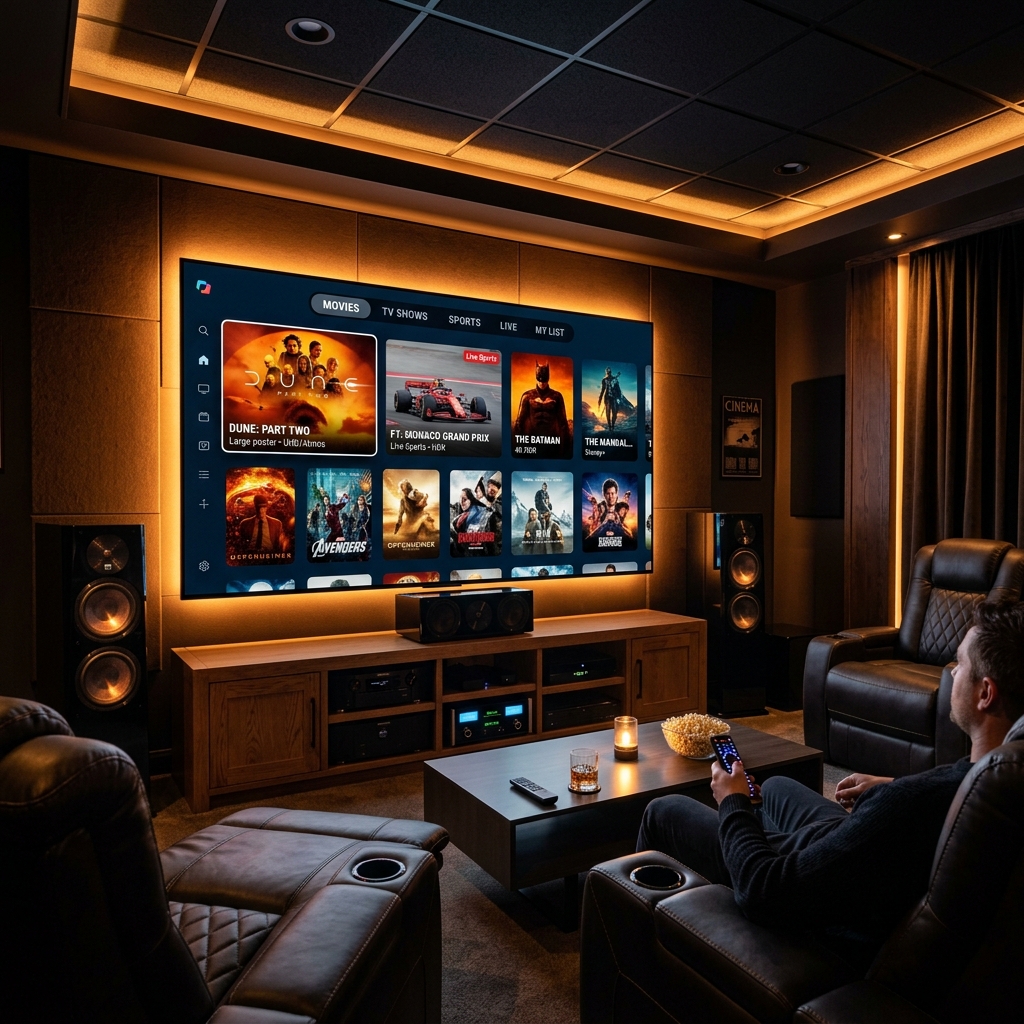
Samsung Smart TV is the world’s best-selling smart TV platform — and in 2026, it’s also one of the best IPTV-capable displays available to consumers. Paired with Net IPTV, your Samsung becomes a professional streaming terminal with full HEVC Codec support, complete EPG guide capability, and VPN-ready privacy features that make ISP throttling irrelevant. Check out our Best IPTV Apps for Smart TV 2026 to see how Samsung ranks versus the rest.
This guide is structured as a direct Expert Q&A, answering the exact questions Samsung Smart TV owners ask before choosing an IPTV provider.
Q: Why does ISP throttling affect IPTV on Samsung Smart TV — and how serious is it?
A: ISP throttling in 2026 is widespread and systematic. Major ISPs in the UK, USA, Germany, Australia, and Canada use deep packet inspection (DPI) technology to identify IPTV-category traffic on residential broadband lines and reduce its bandwidth allocation automatically — without notifying subscribers.
The effect on Samsung Smart TV streams is immediate: channels that play smoothly at 2 AM freeze at 8 PM because evening traffic triggers the ISP’s throttle threshold. 4K streams drop to 720p pixelation. Live sports buffer at exactly the wrong moment. Learn how to diagnose this further with our Fix IPTV Buffering Guide.
The privacy angle matters here: ISP throttling of IPTV traffic is effectively surveillance of your viewing activity. Your ISP knows what you’re watching, when you’re watching it, and how to degrade the experience enough to push you back to cable TV subscriptions.
The fix is a VPN configured at the Samsung Smart TV level — routing all traffic through an encrypted tunnel that DPI cannot classify as IPTV. Once the ISP cannot identify the traffic type, it cannot throttle it selectively.
Q: How do I install a VPN on Samsung Smart TV for Net IPTV?
A: Samsung Smart TV runs Tizen OS — a proprietary platform that does not support native VPN app installation from the Samsung App Store. There are two practical approaches:
Option 1 — Router-Level VPN (Recommended): Configure the VPN directly on your home router’s firmware. All devices connected to the router — including your Samsung Smart TV — route through the VPN automatically without any device-side configuration. Router-level VPN setup is supported by NordVPN, ExpressVPN, and Surfshark through their respective router configuration guides.
Option 2 — Smart DNS at TV Network Level: Samsung Smart TV supports manual DNS configuration in network settings. Go to Settings → General → Network → Network Status → IP Settings → DNS Setting → change from “Get Automatically” to “Enter Manually.” Enter 1.1.1.1 (Cloudflare) as your primary DNS. This bypasses ISP DNS-based blocks — the most common cause of EPG Not Loading — without a full VPN tunnel.
For maximum privacy: combine both. Router VPN for traffic encryption, Smart DNS for DNS-level protection as a backup.
Q: What is Net IPTV and why is it the right app for Samsung Smart TV?
A: Net IPTV is available directly from the Samsung App Store — one of the only IPTV players with native Tizen OS compatibility. It requires no sideloading, no developer mode, and no workarounds.
Key reasons Net IPTV is ideal for Samsung Smart TV in 2026:
- Full HEVC Codec support — leverages Samsung’s hardware video decoder for H.265 streams, delivering 4K HDR playback without CPU overhead or buffering artifacts
- Stalker Portal, M3U, and Xtream Codes support — universal IPTV source compatibility
- XMLTV EPG integration — complete programme guide with multi-day schedules, channel logos, and programme descriptions
- Remote-optimized UI — designed for Samsung’s Smart Remote navigation patterns, with large channel tiles and intuitive category browsing
- VPN pass-through — when a router-level VPN or Smart DNS is active, Net IPTV traffic routes through it automatically
Q: How do I correctly configure the EPG guide in Net IPTV on Samsung Smart TV?
A: EPG Not Loading is the most common Net IPTV complaint on Samsung Smart TV, and it has a clear diagnostic process:
Step 1 — Verify your XMLTV URL: In Net IPTV, go to Settings → EPG → XMLTV URL. Copy the URL and test it in a browser on your phone. If the browser shows data, the URL is valid. If it shows an error, contact your provider for an updated EPG URL.
Step 2 — Enable Smart DNS before refreshing: Change your Samsung TV DNS to 1.1.1.1 (Settings → Network → IP Settings → DNS). ISP DNS blocking is the primary cause of EPG Not Loading — Cloudflare DNS bypasses this completely.
Step 3 — Clear EPG cache and force refresh: In Net IPTV Settings → EPG → tap “Clear Cache” then “Refresh.” Allow 3–5 minutes for a complete 10,000+ channel EPG dataset to download.
Step 4 — Check time zone settings: Go to Samsung TV Settings → General → System Manager → Time → verify the time zone matches your actual location. A mismatched time zone causes EPG to display at incorrect times, which appears as missing programme data.
Step 5 — Request a backup EPG URL from your provider: Premium providers maintain multiple EPG server endpoints. If your primary URL is unreachable, a backup URL resolves EPG Not Loading immediately.
READY FOR BUFFER-FREE 4K WITH FULL EPG ON YOUR SAMSUNG?
Get stable, buffer-free IPTV from viperiptv.shop
CLICK HERE — WhatsApp Free Trial: https://wa.me/213797722636
HEVC Codec | Stalker Portal | Net IPTV | Samsung Smart TV | 4K HDR
Q: What should I look for in an IPTV provider for Samsung Smart TV?
A: The five non-negotiable criteria for Samsung Smart TV + Net IPTV providers in 2026:
- Net IPTV compatible credentials — M3U URL, Xtream Codes, or Stalker Portal activation. Confirm before paying.
- Dedicated EPG server — not a shared scraper. A provider with a dedicated XMLTV server eliminates EPG Not Loading entirely.
- HEVC Codec streams — H.265 sources, not exclusively H.264. HEVC Codec streams deliver identical quality at half the bandwidth, critical for households on capped broadband plans.
- Sports server dedicated nodes — live Champions League, Premier League, and Serie A streams on dedicated high-capacity server infrastructure. Ask your provider how many concurrent viewers their sports servers support.
- Free trial available — test during a live sports event at peak viewing hours. If it buffers during your trial, it will buffer during your subscription.
Q: How does the Stalker Portal connection method work in Net IPTV?
A: Stalker Portal is the most secure and reliable IPTV connection method available in 2026, and Net IPTV supports it natively on Samsung Smart TV.
Instead of a plain-text username and password (used by Xtream Codes connections), Stalker Portal authenticates using your Samsung TV’s unique MAC address. The authentication process:
- Net IPTV sends your TV’s MAC address to the provider’s Stalker Portal server
- The server confirms the MAC is registered and authorized
- Your full channel list, EPG Support data, and VOD library are delivered encrypted to your TV
The privacy advantage: MAC address authentication means your viewing credentials are never transmitted in plain text. Even if your network is monitored, your IPTV login credentials cannot be intercepted.
To find your MAC address for Stalker Portal registration: open Net IPTV on your Samsung → go to Settings → Device Info → note the MAC address shown. Send this to your provider for activation.
Q: How much should I expect to pay for a quality IPTV subscription for Samsung Smart TV?
A: Quality IPTV subscriptions in 2026 fall into these tiers:
| Plan Type | Monthly Cost | Connections | HEVC Codec | EPG |
|---|---|---|---|---|
| Basic | $8–$10 | 1 | Yes | Yes |
| Standard | $12–$15 | 2 | Yes | Full |
| Family | $15–$18 | 4 | Yes | Full + VOD |
| Cable TV | $90–$150 | 1 TV | Limited | Basic |
A standard 2-connection plan at $12–$15/month replaces cable TV for most households at 80–90% lower cost. The annual saving is $900–$1,600 depending on your current cable package. See more details on pricing differences in our IPTV vs Cable TV 2026 review.
Frequently Asked Questions
❓ Is IPTV worth buying for Samsung Smart TV in 2026?
Answer: Yes — Net IPTV on Samsung Smart TV delivers 10,000+ channels with HEVC Codec 4K HDR streams and full EPG Support for $10–$18/month, compared to cable TV at $90–$150/month. The combination of Samsung’s native Tizen OS compatibility and Net IPTV’s Stalker Portal authentication makes it one of the cleanest IPTV setups available in 2026.
❓ What should I look for in an IPTV provider for Samsung Smart TV?
Answer: Prioritize providers offering Net IPTV-compatible credentials (M3U, Xtream Codes, or Stalker Portal), a dedicated XMLTV EPG server, HEVC Codec stream sources, dedicated sports server infrastructure, and a free trial. Test during a live sports event at peak hours — stable performance during Champions League is the definitive quality indicator.
❓ How much does a premium IPTV subscription cost for Samsung Smart TV?
Answer: Premium IPTV subscriptions for Samsung Smart TV via Net IPTV cost $10–$18/month for plans including HD/4K HEVC Codec streams, full EPG, and multi-connection support. Annual plans reduce this to $60–$120/year, delivering annual savings of $1,000–$1,600 compared to standard cable TV packages.
❓ Can I get a free trial before paying for IPTV on Samsung Smart TV?
Answer: Yes — contact viperiptv.shop via WhatsApp with your Net IPTV device MAC address (found in Net IPTV Settings → Device Info). Your Samsung Smart TV will receive Stalker Portal or M3U credentials for a full trial. Test EPG loading accuracy, HEVC Codec 4K stream stability, and sports server performance before committing to a subscription.
❓ Does Net IPTV support 4K and full EPG on Samsung Smart TV?
Answer: Yes — Net IPTV fully supports 4K HDR via Samsung’s native HEVC Codec hardware decoder and XMLTV EPG integration with multi-day programme data on Samsung Smart TV. If EPG Not Loading occurs, change your Samsung DNS to 1.1.1.1 in network settings to bypass ISP DNS blocks, then force-refresh the EPG in Net IPTV settings.
YOUR SAMSUNG SMART TV DESERVES BETTER THAN CABLE — GET IT TODAY
Get stable, buffer-free IPTV from viperiptv.shop
CLICK HERE — WhatsApp Free Trial: https://wa.me/213797722636
HEVC Codec | Stalker Portal | Net IPTV | Samsung Tizen | 4K HDR ---|---|---|---|---| | Basic | $8–$10 | 1 | Yes | Yes | | Standard | $12–$15 | 2 | Yes | Full | | Family | $15–$18 | 4 | Yes | Full + VOD | | Cable TV | $90–$150 | 1 TV | Limited | Basic |
A standard 2-connection plan at $12–$15/month replaces cable TV for most households at 80–90% lower cost. The annual saving is $900–$1,600 depending on your current cable package. See more details on pricing differences in our IPTV vs Cable TV 2026 review.
Frequently Asked Questions
❓ Is IPTV worth buying for Samsung Smart TV in 2026?
Answer: Yes — Net IPTV on Samsung Smart TV delivers 10,000+ channels with HEVC Codec 4K HDR streams and full EPG Support for $10–$18/month, compared to cable TV at $90–$150/month. The combination of Samsung’s native Tizen OS compatibility and Net IPTV’s Stalker Portal authentication makes it one of the cleanest IPTV setups available in 2026.
❓ What should I look for in an IPTV provider for Samsung Smart TV?
Answer: Prioritize providers offering Net IPTV-compatible credentials (M3U, Xtream Codes, or Stalker Portal), a dedicated XMLTV EPG server, HEVC Codec stream sources, dedicated sports server infrastructure, and a free trial. Test during a live sports event at peak hours — stable performance during Champions League is the definitive quality indicator.
❓ How much does a premium IPTV subscription cost for Samsung Smart TV?
Answer: Premium IPTV subscriptions for Samsung Smart TV via Net IPTV cost $10–$18/month for plans including HD/4K HEVC Codec streams, full EPG, and multi-connection support. Annual plans reduce this to $60–$120/year, delivering annual savings of $1,000–$1,600 compared to standard cable TV packages.
❓ Can I get a free trial before paying for IPTV on Samsung Smart TV?
Answer: Yes — contact viperiptv.shop via WhatsApp with your Net IPTV device MAC address (found in Net IPTV Settings → Device Info). Your Samsung Smart TV will receive Stalker Portal or M3U credentials for a full trial. Test EPG loading accuracy, HEVC Codec 4K stream stability, and sports server performance before committing to a subscription.
❓ Does Net IPTV support 4K and full EPG on Samsung Smart TV?
Answer: Yes — Net IPTV fully supports 4K HDR via Samsung’s native HEVC Codec hardware decoder and XMLTV EPG integration with multi-day programme data on Samsung Smart TV. If EPG Not Loading occurs, change your Samsung DNS to 1.1.1.1 in network settings to bypass ISP DNS blocks, then force-refresh the EPG in Net IPTV settings.
YOUR SAMSUNG SMART TV DESERVES BETTER THAN CABLE — GET IT TODAY
Get stable, buffer-free IPTV from viperiptv.shop
CLICK HERE — WhatsApp Free Trial: https://wa.me/213797722636
HEVC Codec | Stalker Portal | Net IPTV | Samsung Tizen | 4K HDR
Ready to Start Streaming?
Get instant access to 40,000+ live channels and 250,000+ movies & series in 4K Ultra HD. Start your free 24-hour trial today.