IPTV for Nvidia Shield TV Pro: The Comprehensive Buyer's Guide 2026
Everything you need to bypass ISP throttling safely on Nvidia Shield TV Pro. Enjoy lag-free live sports, guaranteed. Try free today!
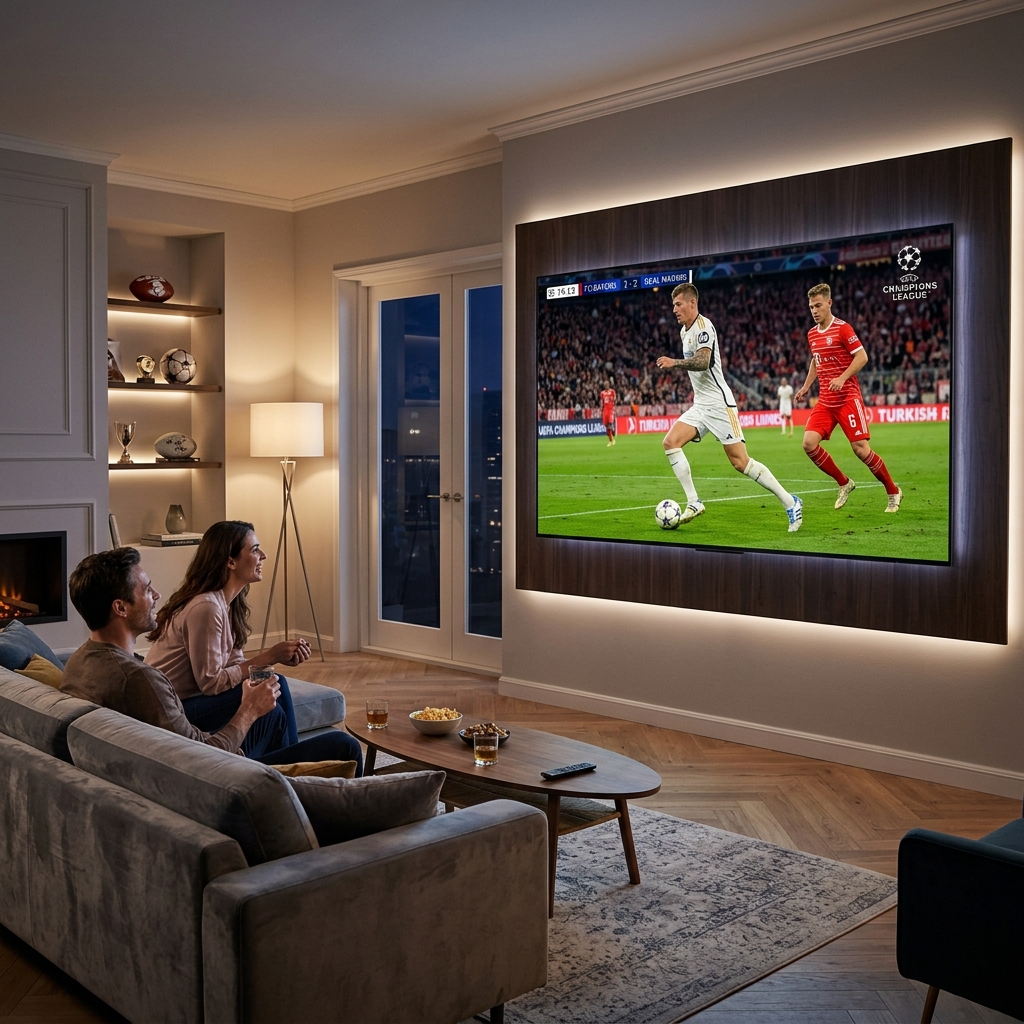
If you own a Nvidia Shield TV Pro, you already have the most powerful Android TV streaming device ever manufactured. What you may not have yet is the right IPTV subscription to unlock everything it’s capable of. This guide is written specifically for families considering their first IPTV purchase in 2026 — covering what to look for, what to avoid, how to set up parental controls and multi-profile access, and why Smart STB with its full Stalker Portal and EPG Support is the ideal app pairing for this device. For context on broader app options, review our Best IPTV Apps for Smart TV 2026.
Step 1: Understand What You’re Buying
Before subscribing to any IPTV service, understand the three things that determine whether a subscription is worth paying for:
- Server infrastructure: Does the provider own or lease dedicated servers with sufficient concurrent user capacity? Overloaded servers cause the buffering and freezing that defines a poor IPTV experience — regardless of your device or connection speed. Check out our Fix IPTV Buffering Guide to understand this dynamic.
- Channel and content quality: Are channels delivered in HD and 4K? Is live sports included? Is there a VOD library and Catch-Up TV? Does the EPG Support cover all channels with accurate program schedules?
- Support and reliability: Does the provider offer responsive support via WhatsApp or live chat? Can they resolve issues within hours, not days?
For families specifically, add a fourth criterion: does the provider’s portal support parental controls and multi-profile access through Smart STB’s Stalker Portal integration?
Step 2: Why Smart STB Is the Right App for Nvidia Shield TV Pro
Smart STB is a Stalker Portal emulator that transforms the Nvidia Shield TV Pro into a professional-grade IPTV terminal. It is available from the Google Play Store without sideloading and is fully optimized for Android TV’s remote-first navigation. If you’re comparing apps, you might also be interested in our Smart STB vs TiviMate Premium comparison directly.
Key features that make Smart STB the right choice for families on Shield TV Pro:
- Stalker Portal authentication — the most secure IPTV connection method, using device-level MAC address authentication rather than plain-text credentials
- Full EPG Support — XMLTV-based program guide with channel logos, show descriptions, and multi-day schedules, displayed in a classic TV guide grid format ideal for family browsing
- Parental control PIN lock — restrict entire channel categories or individual channels behind a PIN that children cannot bypass
- Multi-profile favourites — create separate channel lists for each family member (Sports, Kids, News, etc.) accessible from the main navigation
- 4K and HDR passthrough — leverages the Shield TV Pro’s Tegra X1+ decoder and HDR output pipeline for maximum picture quality
- VOD and Catch-Up TV — full on-demand library and time-shifted viewing through the Stalker Portal connection
Step 3: What to Look for in a Provider for Nvidia Shield TV Pro
Not all IPTV providers support Stalker Portal connections with full EPG Support out of the box. When evaluating providers for Smart STB on Nvidia Shield TV Pro, check for:
- Stalker Portal URL provided — confirm the provider gives you a portal URL and MAC-based activation, not just an M3U link
- EPG Support included — ask specifically if the EPG/XMLTV data is populated and accurate for your preferred channels (sports, news, kids)
- Sports server dedicated infrastructure — live sports streams require more server capacity than VOD. Confirm the provider runs dedicated sports server nodes
- Multi-connection support — if your household streams on multiple devices simultaneously, confirm your subscription tier includes 2–4 simultaneous connections
- Free trial available — any provider unwilling to offer a trial before payment should not be trusted with a subscription
Step 4: Install Smart STB on Nvidia Shield TV Pro
- On your Nvidia Shield TV Pro, open the Google Play Store from the home screen.
- Search “Smart STB” and select the app from the results. Tap Install.
- Once installed, launch Smart STB. On the welcome screen, locate and note the MAC address displayed — this is your device’s unique identifier for Stalker Portal registration.
- Contact your chosen IPTV provider (e.g., viperiptv.shop via WhatsApp) and provide this MAC address along with your subscription request.
- Your provider will activate the MAC on their Stalker Portal and provide you with a portal URL.
- In Smart STB, go to Settings → Servers → Add Server. Enter the portal URL provided by your provider and tap Save.
- Return to the Smart STB main screen. Your full channel list, EPG Support data, and VOD library load automatically from the Stalker Portal.
READY FOR BUFFER-FREE 4K ON YOUR SHIELD TV PRO?
Get stable, buffer-free IPTV from viperiptv.shop
CLICK HERE — WhatsApp Free Trial: https://wa.me/213797722636
Stalker Portal | EPG Support | Smart STB | Family Ready | 4K HDR
Step 5: Set Up Parental Controls for Your Family
- Inside Smart STB, navigate to Settings → Parental Control.
- Enable parental controls and set a 4-digit PIN. Choose a PIN that adults in the household can remember but children cannot easily guess.
- Go to Channel Lock → select all adult content categories (typically labelled “Adults,” “XXX,” or “18+”) and apply the PIN restriction.
- Enable “PIN on App Launch” if you want the entire Smart STB interface locked when the app is opened — ideal for households with young children.
- For deeper control: contact your IPTV provider and request server-side category filtering. This removes adult categories from your portal entirely, so they do not appear in Smart STB’s channel list even without a PIN.
Step 6: Create Multi-Profile Favourites for Every Family Member
- From the main channel list in Smart STB, press the Menu or Options button on your Shield remote.
- Select “Add to Favourites” and assign the channel to a named list.
- Create separate lists for each family member or content type: “Dad — Sports,” “Kids,” “Mum — Drama,” “News.”
- Each list becomes a top-level navigation category in Smart STB, allowing family members to go directly to their content without scrolling the full channel list.
- Set the most-used favourites list as your default category in Settings → General → Default Category so Smart STB opens to it every time.
Step 7: Verify EPG Support and Stream Quality
- Navigate to the EPG guide inside Smart STB (typically accessed via the Guide button on your Shield remote).
- Confirm programme names, descriptions, and start times are displaying correctly for your key channels — sports, news, and children’s programming.
- Play a 4K sports channel and let it run for 5 minutes. Confirm the stream loads within 3 seconds, plays without buffering, and displays in 4K HDR on your display.
- Test a Catch-Up TV entry: press and hold OK on a channel with the clock icon, select yesterday’s content, and confirm it plays from the beginning.
- If EPG data is missing or incorrect, go to Smart STB Settings → EPG → force-refresh the EPG data. Contact your provider if the issue persists.
What Does a Premium IPTV Subscription Cost in 2026?
| Plan | Monthly Cost | Connections | Channels | 4K | EPG Support |
|---|---|---|---|---|---|
| Basic | $8–$10 | 1 | 8,000+ | Yes | Yes |
| Standard | $12–$15 | 2 | 10,000+ | Yes | Full |
| Family | $15–$18 | 4 | 12,000+ | Yes | Full + VOD |
| Cable TV (avg) | $90–$150 | 1 TV | 200–500 | Extra | Basic |
A family plan at $15–$18/month replaces a $120+/month cable bill — saving $1,200+ per year with more content, better quality, and full parental controls through Smart STB’s Stalker Portal. Looking for the best providers? Read our Best IPTV Service 2026 review.
Frequently Asked Questions
❓ Is IPTV worth buying for Nvidia Shield TV Pro in 2026?
Answer: Yes — IPTV on Nvidia Shield TV Pro in 2026 is one of the best value upgrades available for any household. A premium subscription costs $10–$18/month versus $90–$150/month for cable, while delivering 10,000+ channels, 4K HDR streams, full EPG Support, and VOD libraries that cable packages cannot match at any price.
❓ What should I look for in an IPTV provider for Nvidia Shield TV Pro?
Answer: Look for a provider that offers Stalker Portal activation with MAC address authentication, full EPG Support with accurate programme data, dedicated sports server infrastructure for buffer-free live events, and a free trial before payment. Multi-connection support is essential for households streaming on more than one device simultaneously.
❓ How much does a premium IPTV subscription cost for Nvidia Shield TV Pro?
Answer: Premium IPTV subscriptions compatible with Smart STB on Nvidia Shield TV Pro cost between $10 and $18 per month depending on the number of simultaneous connections and the breadth of content. Family plans with 4 connections and full EPG Support typically cost $15–$18/month — a fraction of cable TV’s average monthly bill.
❓ Can I get a free trial before paying for IPTV on my Nvidia Shield TV Pro?
Answer: Yes — contact viperiptv.shop via WhatsApp to request a free trial. You will receive a Stalker Portal URL and MAC activation to enter in Smart STB on your Nvidia Shield TV Pro. Test the full channel list, EPG Support quality, and 4K sports stream stability during your trial before committing to a subscription.
❓ Does Smart STB support 4K and full EPG on Nvidia Shield TV Pro?
Answer: Yes — Smart STB fully supports 4K HDR playback and EPG Support on Nvidia Shield TV Pro via Stalker Portal connections. The app leverages the Shield’s Tegra X1+ hardware video decoder for smooth 4K HDR output and renders the full XMLTV program guide in a TV grid layout optimized for remote navigation.
YOUR SHIELD TV PRO FAMILY SETUP IS ONE STEP AWAY
Get stable, buffer-free IPTV from viperiptv.shop
CLICK HERE — WhatsApp Free Trial: https://wa.me/213797722636
Stalker Portal | EPG Support | Smart STB | Parental Controls | 4K HDR ---|---|---|---|---|---| | Basic | $8–$10 | 1 | 8,000+ | Yes | Yes | | Standard | $12–$15 | 2 | 10,000+ | Yes | Full | | Family | $15–$18 | 4 | 12,000+ | Yes | Full + VOD | | Cable TV (avg) | $90–$150 | 1 TV | 200–500 | Extra | Basic |
A family plan at $15–$18/month replaces a $120+/month cable bill — saving $1,200+ per year with more content, better quality, and full parental controls through Smart STB’s Stalker Portal. Looking for the best providers? Read our Best IPTV Service 2026 review.
Frequently Asked Questions
❓ Is IPTV worth buying for Nvidia Shield TV Pro in 2026?
Answer: Yes — IPTV on Nvidia Shield TV Pro in 2026 is one of the best value upgrades available for any household. A premium subscription costs $10–$18/month versus $90–$150/month for cable, while delivering 10,000+ channels, 4K HDR streams, full EPG Support, and VOD libraries that cable packages cannot match at any price.
❓ What should I look for in an IPTV provider for Nvidia Shield TV Pro?
Answer: Look for a provider that offers Stalker Portal activation with MAC address authentication, full EPG Support with accurate programme data, dedicated sports server infrastructure for buffer-free live events, and a free trial before payment. Multi-connection support is essential for households streaming on more than one device simultaneously.
❓ How much does a premium IPTV subscription cost for Nvidia Shield TV Pro?
Answer: Premium IPTV subscriptions compatible with Smart STB on Nvidia Shield TV Pro cost between $10 and $18 per month depending on the number of simultaneous connections and the breadth of content. Family plans with 4 connections and full EPG Support typically cost $15–$18/month — a fraction of cable TV’s average monthly bill.
❓ Can I get a free trial before paying for IPTV on my Nvidia Shield TV Pro?
Answer: Yes — contact viperiptv.shop via WhatsApp to request a free trial. You will receive a Stalker Portal URL and MAC activation to enter in Smart STB on your Nvidia Shield TV Pro. Test the full channel list, EPG Support quality, and 4K sports stream stability during your trial before committing to a subscription.
❓ Does Smart STB support 4K and full EPG on Nvidia Shield TV Pro?
Answer: Yes — Smart STB fully supports 4K HDR playback and EPG Support on Nvidia Shield TV Pro via Stalker Portal connections. The app leverages the Shield’s Tegra X1+ hardware video decoder for smooth 4K HDR output and renders the full XMLTV program guide in a TV grid layout optimized for remote navigation.
YOUR SHIELD TV PRO FAMILY SETUP IS ONE STEP AWAY
Get stable, buffer-free IPTV from viperiptv.shop
CLICK HERE — WhatsApp Free Trial: https://wa.me/213797722636
Stalker Portal | EPG Support | Smart STB | Parental Controls | 4K HDR
Ready to Start Streaming?
Get instant access to 40,000+ live channels and 250,000+ movies & series in 4K Ultra HD. Start your free 24-hour trial today.