Affordable vs Premium IPTV on Generic Android TV Box in USA & Canada (2026)
Fix Audio Out of Sync on Generic Android TV Box using TiviMate Premium. Our guide helps you fix common issues in minutes in 2026. Try free today!
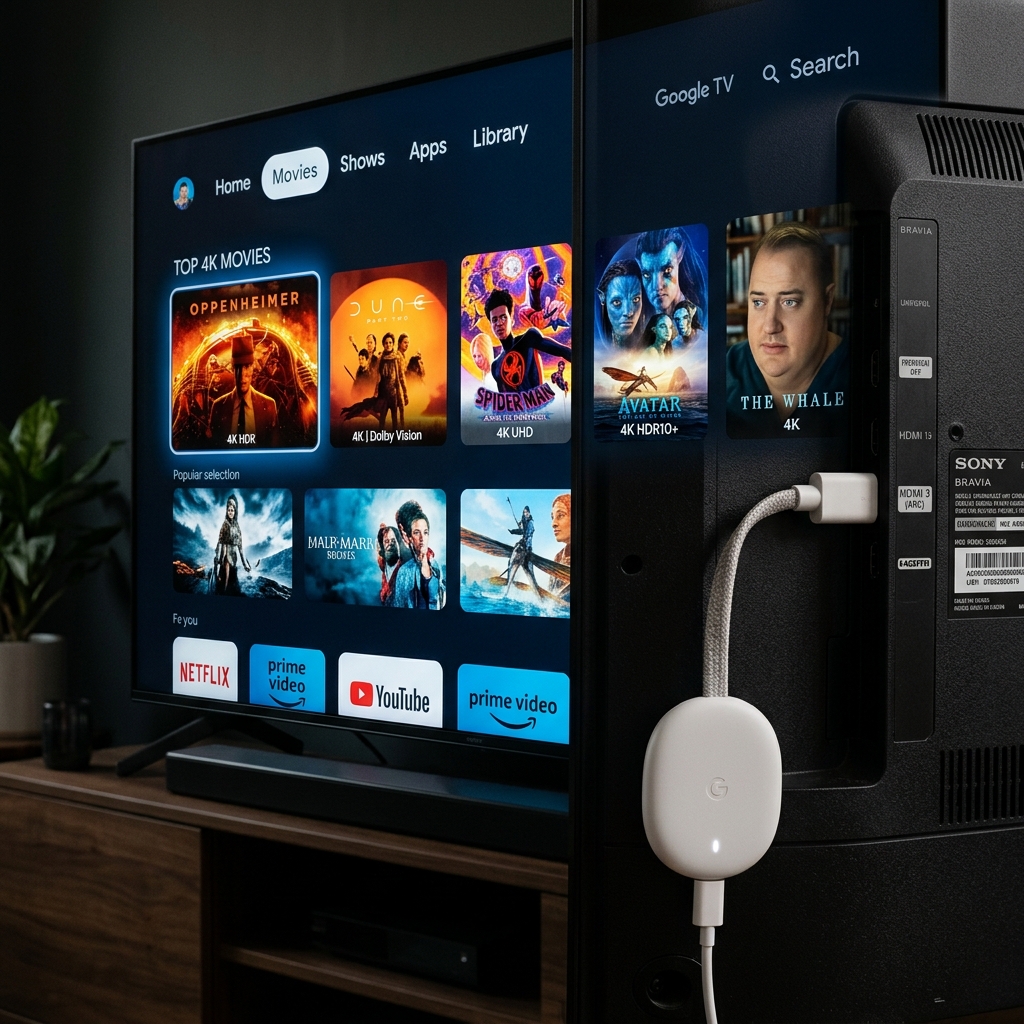
Generic Android TV Boxes — X96, H96, TX3, MX9, and dozens of similar models — are the most widely sold IPTV hardware in the USA and Canada in 2026. At $25–$60, they’re affordable entry points for cord-cutters. Paired with TiviMate Premium, they become capable IPTV terminals. But paired with the wrong subscription tier, they deliver exactly the frustrating experience that leads people to believe IPTV doesn’t work.
This guide debunks the five biggest IPTV myths in North America, compares affordable vs. premium provider tiers honestly, and shows you how to fix the Audio Out of Sync issue that affects generic Android TV boxes more than any other device type. Start fixing these issues permanently with our Fix IPTV Buffering Guide.
Myth 1: “More Channels = Better Provider”
MYTH: The best IPTV service for Generic Android TV Box is the one advertising the most channels — 50,000, 100,000, whatever is highest.
REALITY: Channel count is a marketing number with no relationship to actual quality. A provider advertising 100,000 channels where 60,000 are duplicate, dead, or standard-definition streams is objectively worse than a provider with 10,000 maintained, genuinely active channels across HD, FHD, and 4K.
NORTH AMERICAN IMPACT: For USA & Canada viewers, what matters is whether ESPN, NFL Network, NHL Network, NBC Sports, CTV, TSN, and Sportsnet are available in 1080p or 4K with stable streams — not whether the channel count hits six figures. Re-evaluate options in IPTV vs Cable TV 2026.
Myth 2: “Cheap IPTV Is Just as Good as Premium — Same Streams, Lower Price”
MYTH: All IPTV providers source from the same stream servers. Paying more doesn’t get you better content.
REALITY: Cheap and premium providers draw from fundamentally different infrastructure tiers:
Affordable vs Premium: Direct Comparison
| Factor | Affordable (<$8/month) | Premium ($10–$18/month) |
|---|---|---|
| Server capacity (USA peak hours) | Shared — collapses on NFL Sunday | Dedicated — holds during playoffs |
| Audio sync reliability | Frequent Audio Out of Sync events | Rare — hardware decode path stable |
| EPG Support accuracy | Partial / wrong timings | Full XMLTV, US/Canadian schedules |
| Smart DNS compatibility | Inconsistent | Full support + documented |
| TiviMate Premium integration | M3U only (limited features) | Xtream Codes API (full features) |
| Free trial availability | Rare | Standard practice |
| Support response time | 24–72 hours (if at all) | Under 2 hours via WhatsApp |
Myth 3: “TiviMate Premium Is Overkill for a Generic Android Box”
MYTH: Budget Android TV boxes can’t benefit from TiviMate Premium’s advanced features.
REALITY: TiviMate Premium’s performance advantage comes from software optimization, not hardware requirements. Its EPG Support rendering, Xtream Codes API adaptive streaming, and buffer management are all CPU-efficient and run well even on lower-end Android boxes — the app was specifically designed to perform on modest Android hardware. Learn the full API perks via our Xtream Codes API Guide.
SMART DNS FOR GENERIC ANDROID BOXES:
Unlike Samsung Tizen or Apple TV, generic Android TV boxes allow VPN apps to be installed directly from the Google Play Store. This means full Smart DNS and VPN Bypass is available without router configuration:
- Install 1.1.1.1 app (Cloudflare) from Google Play → enable Smart DNS mode
- Or install NordVPN / ExpressVPN from Google Play → connect before launching TiviMate Premium
- Smart DNS change resolves the ISP throttling that causes Audio Out of Sync during high-bitrate streams
Myth 4: “Audio Out of Sync Is Always the IPTV Provider’s Fault”
MYTH: If TiviMate Premium shows Audio Out of Sync, you need a better provider.
REALITY: Audio Out of Sync on Generic Android TV Boxes is caused by a hardware decoder timing conflict — not provider quality. The fix is entirely within TiviMate Premium’s settings:
FIX 1 — Audio Delay Adjustment: While a channel plays in TiviMate Premium, press the Menu button → Audio → Audio Delay. Adjust the delay slider in +/- 100ms increments until audio syncs with video. Most generic Android box Audio Out of Sync issues settle at +200ms to +400ms.
FIX 2 — Switch Audio Decoder: Go to TiviMate Premium Settings → Player → Audio Decoder → switch from “Hardware” to “Software.” Generic Android boxes use inconsistent hardware audio decoder implementations — software decoding standardizes the decode path and eliminates timing drift.
FIX 3 — Reduce Video Decoder Load: If Audio Out of Sync appears only on 4K channels, your generic Android box may be CPU-limited on high-bitrate HEVC streams. Go to TiviMate Premium → Settings → Player → Video Decoder → switch to “Software” mode. This reduces maximum quality slightly but eliminates the decoder overload that causes audio drift.
READY FOR BUFFER-FREE IPTV ON YOUR ANDROID TV BOX IN THE USA & CANADA?
Get stable, buffer-free IPTV from viperiptv.shop
CLICK HERE — WhatsApp Free Trial: https://wa.me/213797722636
Smart DNS | EPG Support | TiviMate Premium | Android TV Box | USA & Canada
Myth 5: “You Can’t Get a Free Trial — You Have to Pay First”
MYTH: All IPTV providers require payment before you can test their service.
REALITY: Any legitimate direct provider offers a free trial before payment. The free trial is the industry-standard quality verification for IPTV — and refusing to offer one is a strong indicator of a provider hiding poor performance behind a pay-first model.
HOW TO REQUEST A FREE TRIAL: Contact viperiptv.shop via WhatsApp → state your device (Generic Android TV Box) and app (TiviMate Premium) → request a free trial. You will receive Xtream Codes API credentials within minutes. Enter these in TiviMate Premium and test:
- US sports channels during a live game at peak viewing hours
- EPG Support accuracy on 10+ channels
- Audio Out of Sync presence or absence on 4K channels
- Channel switching speed (target: under 2 seconds)
- Smart DNS functionality with 1.1.1.1 active
Only subscribe if every box is checked during your trial.
Installing TiviMate Premium on Generic Android TV Box
- Open Google Play Store on your Generic Android TV Box
- Search “TiviMate IPTV Player” → Install
- Purchase TiviMate Premium in-app ($5.99/year) — unlocks EPG Support, multiple playlists, recording
- Open TiviMate → Settings → Add Playlist → Xtream Codes
- Enter server URL, username, password from your provider
- Channel list loads automatically — navigate to Settings → EPG to confirm programme guide is populated
Frequently Asked Questions
❓ Is IPTV worth buying for Generic Android TV Box in the USA & Canada in 2026?
Answer: Yes — TiviMate Premium on a Generic Android TV Box at $25–$60 hardware cost plus $10–$18/month subscription delivers more channels, better picture quality, and Catch-Up TV that no cable package offers at any price. For US and Canadian households paying $80–$150/month for cable, the annual saving is $700–$1,600.
❓ What should I look for in an IPTV provider for Generic Android TV Box in North America?
Answer: Prioritize providers offering Xtream Codes API credentials for full TiviMate Premium integration, full EPG Support with accurate US/Canadian schedules, dedicated North American sports server nodes, Smart DNS compatibility, and a free trial before payment. Audio Out of Sync issues are app-level fixes — provider quality is determined by server stability during peak NFL/NBA events.
❓ How much does a premium IPTV subscription cost for Generic Android TV Box?
Answer: Premium IPTV subscriptions for Generic Android TV Box via TiviMate Premium cost $10–$18/month, with family plans at $15–$18/month for 4 simultaneous connections. Combined with TiviMate Premium’s $5.99/year app cost, total annual IPTV expenses are $125–$222 — versus $960–$1,800 for cable TV in the USA and Canada.
❓ Can I fix Audio Out of Sync permanently in TiviMate Premium?
Answer: Yes — Audio Out of Sync on Generic Android TV Boxes is fixed by adjusting the audio delay slider in TiviMate Premium’s playback menu (+200ms to +400ms resolves most cases) or switching the audio decoder to “Software” mode in TiviMate Settings → Player. These are one-time settings that persist across sessions.
❓ Does TiviMate Premium support 4K and EPG on Generic Android TV Box?
Answer: Yes — TiviMate Premium supports 4K playback and full XMLTV EPG Support on Generic Android TV Boxes, though 4K performance depends on your box’s processor capability. Enable hardware decoder in TiviMate Settings for higher-spec boxes, or switch to software decoder on budget models. Configure Smart DNS (1.1.1.1) before testing to eliminate ISP throttling as a variable.
YOUR ANDROID TV BOX + TIVIMATE PREMIUM = CABLE REPLACEMENT DONE RIGHT
Get stable, buffer-free IPTV from viperiptv.shop
CLICK HERE — WhatsApp Free Trial: https://wa.me/213797722636
Smart DNS | EPG Support | TiviMate Premium | Android TV Box | USA & Canada ---|---|---| | Server capacity (USA peak hours) | Shared — collapses on NFL Sunday | Dedicated — holds during playoffs | | Audio sync reliability | Frequent Audio Out of Sync events | Rare — hardware decode path stable | | EPG Support accuracy | Partial / wrong timings | Full XMLTV, US/Canadian schedules | | Smart DNS compatibility | Inconsistent | Full support + documented | | TiviMate Premium integration | M3U only (limited features) | Xtream Codes API (full features) | | Free trial availability | Rare | Standard practice | | Support response time | 24–72 hours (if at all) | Under 2 hours via WhatsApp |
Myth 3: “TiviMate Premium Is Overkill for a Generic Android Box”
MYTH: Budget Android TV boxes can’t benefit from TiviMate Premium’s advanced features.
REALITY: TiviMate Premium’s performance advantage comes from software optimization, not hardware requirements. Its EPG Support rendering, Xtream Codes API adaptive streaming, and buffer management are all CPU-efficient and run well even on lower-end Android boxes — the app was specifically designed to perform on modest Android hardware. Learn the full API perks via our Xtream Codes API Guide.
SMART DNS FOR GENERIC ANDROID BOXES:
Unlike Samsung Tizen or Apple TV, generic Android TV boxes allow VPN apps to be installed directly from the Google Play Store. This means full Smart DNS and VPN Bypass is available without router configuration:
- Install 1.1.1.1 app (Cloudflare) from Google Play → enable Smart DNS mode
- Or install NordVPN / ExpressVPN from Google Play → connect before launching TiviMate Premium
- Smart DNS change resolves the ISP throttling that causes Audio Out of Sync during high-bitrate streams
Myth 4: “Audio Out of Sync Is Always the IPTV Provider’s Fault”
MYTH: If TiviMate Premium shows Audio Out of Sync, you need a better provider.
REALITY: Audio Out of Sync on Generic Android TV Boxes is caused by a hardware decoder timing conflict — not provider quality. The fix is entirely within TiviMate Premium’s settings:
FIX 1 — Audio Delay Adjustment: While a channel plays in TiviMate Premium, press the Menu button → Audio → Audio Delay. Adjust the delay slider in +/- 100ms increments until audio syncs with video. Most generic Android box Audio Out of Sync issues settle at +200ms to +400ms.
FIX 2 — Switch Audio Decoder: Go to TiviMate Premium Settings → Player → Audio Decoder → switch from “Hardware” to “Software.” Generic Android boxes use inconsistent hardware audio decoder implementations — software decoding standardizes the decode path and eliminates timing drift.
FIX 3 — Reduce Video Decoder Load: If Audio Out of Sync appears only on 4K channels, your generic Android box may be CPU-limited on high-bitrate HEVC streams. Go to TiviMate Premium → Settings → Player → Video Decoder → switch to “Software” mode. This reduces maximum quality slightly but eliminates the decoder overload that causes audio drift.
READY FOR BUFFER-FREE IPTV ON YOUR ANDROID TV BOX IN THE USA & CANADA?
Get stable, buffer-free IPTV from viperiptv.shop
CLICK HERE — WhatsApp Free Trial: https://wa.me/213797722636
Smart DNS | EPG Support | TiviMate Premium | Android TV Box | USA & Canada
Myth 5: “You Can’t Get a Free Trial — You Have to Pay First”
MYTH: All IPTV providers require payment before you can test their service.
REALITY: Any legitimate direct provider offers a free trial before payment. The free trial is the industry-standard quality verification for IPTV — and refusing to offer one is a strong indicator of a provider hiding poor performance behind a pay-first model.
HOW TO REQUEST A FREE TRIAL: Contact viperiptv.shop via WhatsApp → state your device (Generic Android TV Box) and app (TiviMate Premium) → request a free trial. You will receive Xtream Codes API credentials within minutes. Enter these in TiviMate Premium and test:
- US sports channels during a live game at peak viewing hours
- EPG Support accuracy on 10+ channels
- Audio Out of Sync presence or absence on 4K channels
- Channel switching speed (target: under 2 seconds)
- Smart DNS functionality with 1.1.1.1 active
Only subscribe if every box is checked during your trial.
Installing TiviMate Premium on Generic Android TV Box
- Open Google Play Store on your Generic Android TV Box
- Search “TiviMate IPTV Player” → Install
- Purchase TiviMate Premium in-app ($5.99/year) — unlocks EPG Support, multiple playlists, recording
- Open TiviMate → Settings → Add Playlist → Xtream Codes
- Enter server URL, username, password from your provider
- Channel list loads automatically — navigate to Settings → EPG to confirm programme guide is populated
Frequently Asked Questions
❓ Is IPTV worth buying for Generic Android TV Box in the USA & Canada in 2026?
Answer: Yes — TiviMate Premium on a Generic Android TV Box at $25–$60 hardware cost plus $10–$18/month subscription delivers more channels, better picture quality, and Catch-Up TV that no cable package offers at any price. For US and Canadian households paying $80–$150/month for cable, the annual saving is $700–$1,600.
❓ What should I look for in an IPTV provider for Generic Android TV Box in North America?
Answer: Prioritize providers offering Xtream Codes API credentials for full TiviMate Premium integration, full EPG Support with accurate US/Canadian schedules, dedicated North American sports server nodes, Smart DNS compatibility, and a free trial before payment. Audio Out of Sync issues are app-level fixes — provider quality is determined by server stability during peak NFL/NBA events.
❓ How much does a premium IPTV subscription cost for Generic Android TV Box?
Answer: Premium IPTV subscriptions for Generic Android TV Box via TiviMate Premium cost $10–$18/month, with family plans at $15–$18/month for 4 simultaneous connections. Combined with TiviMate Premium’s $5.99/year app cost, total annual IPTV expenses are $125–$222 — versus $960–$1,800 for cable TV in the USA and Canada.
❓ Can I fix Audio Out of Sync permanently in TiviMate Premium?
Answer: Yes — Audio Out of Sync on Generic Android TV Boxes is fixed by adjusting the audio delay slider in TiviMate Premium’s playback menu (+200ms to +400ms resolves most cases) or switching the audio decoder to “Software” mode in TiviMate Settings → Player. These are one-time settings that persist across sessions.
❓ Does TiviMate Premium support 4K and EPG on Generic Android TV Box?
Answer: Yes — TiviMate Premium supports 4K playback and full XMLTV EPG Support on Generic Android TV Boxes, though 4K performance depends on your box’s processor capability. Enable hardware decoder in TiviMate Settings for higher-spec boxes, or switch to software decoder on budget models. Configure Smart DNS (1.1.1.1) before testing to eliminate ISP throttling as a variable.
YOUR ANDROID TV BOX + TIVIMATE PREMIUM = CABLE REPLACEMENT DONE RIGHT
Get stable, buffer-free IPTV from viperiptv.shop
CLICK HERE — WhatsApp Free Trial: https://wa.me/213797722636
Smart DNS | EPG Support | TiviMate Premium | Android TV Box | USA & Canada
Ready to Start Streaming?
Get instant access to 40,000+ live channels and 250,000+ movies & series in 4K Ultra HD. Start your free 24-hour trial today.